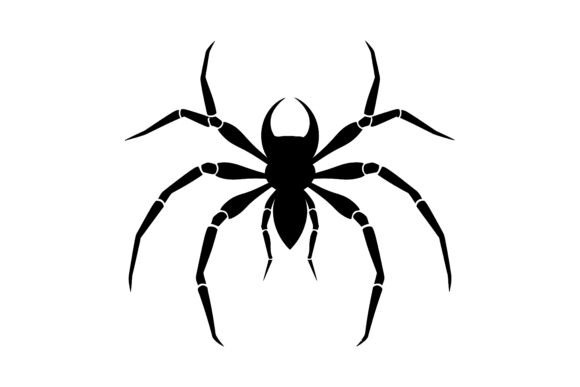
Spider Silhouette and Web Vector Graphics: A Practical Evaluation
In the realm of digital design, the Spider Silhouette and its accompanying web structures serve as iconic motifs. These graphic elements are frequently utilized in branding, print media, and digital art to evoke themes of mystery, intricacy, or nature. When evaluating a specific asset package containing these elements, it is essential to move beyond surface-level aesthetics and assess the technical utility, versatility, and long-term value of the files. This guide provides an objective analysis of what such a vector set offers, helping designers determine if it aligns with their specific project requirements.
Understanding the Spider Silhouette and Web Asset
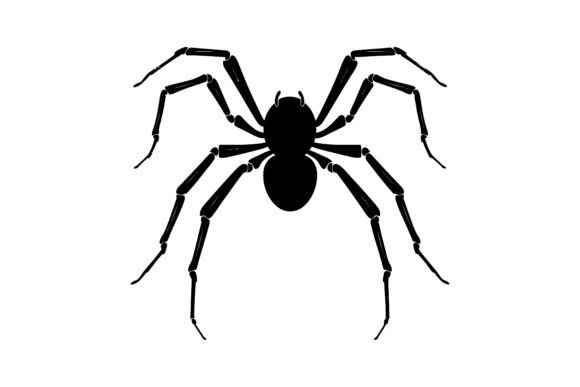
A Spider Silhouette typically refers to a two-dimensional representation of a spider rendered in solid black against a transparent or contrasting background. When paired with a web, the design creates a cohesive visual unit often used for logos, t-shirt prints, tattoos, or horror-themed graphics. The term "vector" is critical in this context. Unlike raster images (such as JPEGs or PNGs) which rely on pixels, vector graphics use mathematical equations to define shapes. This distinction allows the artwork to be scaled infinitely without losing resolution or becoming pixelated.
The specific package described includes an EPS 10 file and a high-resolution JPEG. The EPS (Encapsulated PostScript) format is the industry standard for professional vector work, ensuring compatibility with software like Adobe Illustrator, CorelDRAW, and Inkscape. The inclusion of a JPEG preview offers immediate usability for quick mockups or low-resolution digital drafts, though it lacks the editability of the vector source.
Why Designers Seek These Specific Elements
There are several practical reasons why a professional or hobbyist might seek out a dedicated Spider Silhouette, Web set rather than creating one from scratch:
- Time Efficiency: Drafting a complex spider anatomy with proportional legs and a symmetrical web requires significant time and technical skill. Pre-made assets allow designers to bypass the initial drafting phase.
- Technical Precision: Professional vector sets are often constructed with clean anchor points and smooth paths. This ensures that when the design is cut using a vinyl cutter or laser engraver, the lines remain sharp and accurate.
- Stylistic Consistency: Silhouettes offer a bold, high-contrast look that works well across various mediums, from dark clothing to white paper. They provide a distinct aesthetic that is instantly recognizable.
Benefits and Technical Advantages
The primary advantage of acquiring a fully editable vector set lies in customization. With an EPS 10 file, users have complete control over every detail. This means the color of the silhouette can be changed to match any brand palette, the thickness of the web strands can be adjusted, or the spider's pose can be modified slightly to fit a specific composition. This level of flexibility is crucial for branding projects where uniqueness is paramount.
Furthermore, the "fully editable" nature of the design empowers users to tailor the artwork exactly to their vision. Whether expanding the web to fill a larger banner or isolating just the spider for a small icon, the vector format adapts effortlessly. For those working in print, the scalability ensures that the design looks crisp on a business card or a billboard alike. The combination of high-resolution previews and editable source files bridges the gap between immediate visualization and final production.
Tradeoffs and Considerations
While vector silhouettes offer significant advantages, there are tradeoffs to consider before committing to a purchase or download:
- Software Requirements: To fully utilize the EPS 10 file, the user must have access to compatible vector editing software. While free options like Inkscape exist, professional workflows often rely on paid subscriptions like Adobe Illustrator. If a user only has basic image editors, they will be limited to the provided JPEG, negating the benefits of the vector format.
- Generic Appeal: Because silhouettes are popular, there is a risk of the design appearing generic if not customized significantly. Using the asset exactly as provided may result in a look that is easily found elsewhere online.
- Complexity vs. Simplicity: Some vector sets include excessive detail that may not translate well to certain applications, such as small embroidery or simple screen printing. It is important to evaluate whether the complexity of the web and spider legs suits the intended medium.
When Is This Set a Strong Fit?
This type of graphic package is an excellent choice for specific scenarios:
- Branding and Logos: Businesses needing a strong, scalable logo that conveys a specific vibe (e.g., gaming, security, or creative agencies) will find the clean lines of a silhouette effective.
- Merchandise Production: For t-shirt designs, stickers, or decals, the ability to scale the image without quality loss is non-negotiable. The vector format ensures the final product looks professional regardless of size.
- Rapid Prototyping: Designers who need to present concepts quickly can use the high-resolution JPEG for client meetings while retaining the EPS file for final adjustments based on feedback.
- Craft and DIY Projects: Hobbyists using cutting machines (like Cricut or Silhouette Cameo) benefit greatly from the clean paths found in well-constructed vector files.
When to Consider Alternatives
Despite its strengths, this asset may not be the right tool for every job. Alternatives should be considered in the following situations:
- Photorealistic Needs: If the project requires texture, shading, or realistic anatomical details, a flat black silhouette is insufficient. In such cases, a raster illustration or a 3D render would be more appropriate.
- Unique Customization Requirements: If the design requires a highly specific pose or a unique integration with other complex elements that cannot be achieved through simple color changes or minor path edits, commissioning a custom illustrator may yield better results.
- Licensing Restrictions: Always review the license terms. If the intended use involves large-scale commercial distribution or trademark registration, ensure the asset comes with a commercial license that covers these specific activities. Some free or low-cost vectors restrict commercial usage.
Decision-Making Insights
To determine if this Spider Silhouette, Web set aligns with your goals, ask yourself three key questions:
- Do I have the tools to edit vectors? If you cannot open or modify EPS files, the premium features of this package are wasted. Ensure your workflow supports vector editing.
- Is the style appropriate? Does the bold, high-contrast nature of a silhouette fit the tone of your project? If subtlety or realism is required, look elsewhere.
- What is the scope of my project? For one-off personal projects, a free alternative might suffice. For professional branding or merchandise, the investment in a high-quality, editable vector set is justified by the reliability and scalability it offers.
Ultimately, the value of a graphic asset lies in how well it serves the final application. By understanding the technical capabilities of vector formats and the specific aesthetic of silhouettes, designers can make informed choices that elevate their creative output while avoiding common pitfalls associated with mismatched file types or styles.